 Guilda Work
My data and privacy
Open in Guilda WorkDownload what Guilda Work keeps about you, delete your AI history or request deletion of your account.
Updated on
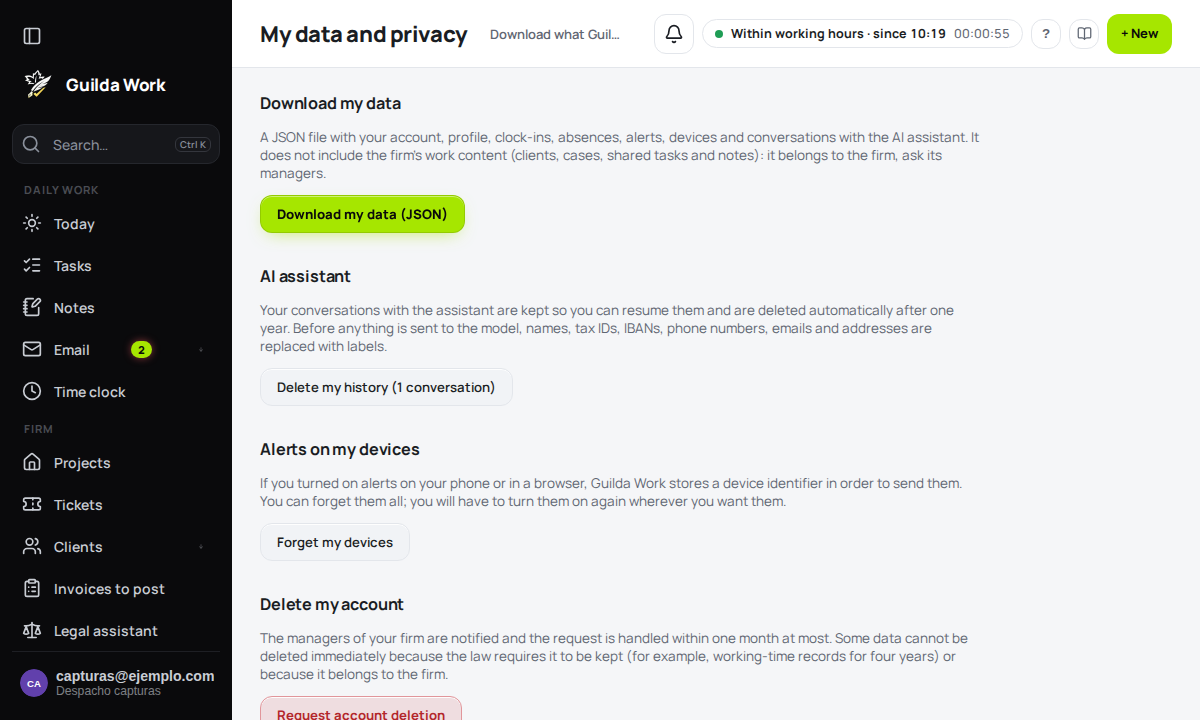
My data and privacy is the screen where you yourself, without asking anyone, exercise your rights over the personal data the platform keeps about you. You find it in the Settings centre, on the My data and privacy card.
Download my data
The Download my data (JSON) button gives you a single file with:
- your account (email, role and firm), profile and settings;
- your clock-ins and your absences;
- the alerts in your bell;
- the devices with alerts (without their keys);
- your conversations with the AI assistant.
It does not include passwords or API keys. Nor does it include the firm's working content (clients, case files, tasks and shared notes): it belongs to the firm, and its management can provide it. Each download is noted in the firm's log (who and when, without copying the content).
Delete my AI assistant history
Your conversations with the AI Assistant are kept so you can resume them, and they are deleted automatically one year after the last activity. If you want to delete them sooner, press Delete my history: it removes them all at once and cannot be undone. The button shows how many conversations you have.
Forget my devices
If you turned on alerts on your phone or in a browser, Guilda Work keeps an identifier for each device so it can send them. Forget my devices deletes them all; you will have to turn alerts on again wherever you want them (see Browser alerts). To sign out one specific phone, use Devices and API tokens instead.
Request deletion of my account
Request account deletion records your request and notifies your firm's managers. It is a request, not an immediate deletion: it is handled within a maximum of one month. While one is open the screen shows it and it cannot be duplicated.
Some data cannot be deleted right away:
- the working-time record (clock-ins), which the law requires to be kept for four years;
- what belongs to the firm (tasks, shared notes, case files).
What is deleted automatically
You do not need to do anything for what is no longer needed to be cleaned up: AI conversations after 365 days, bell alerts after 180 days if read (365 if not) and technical access logs.
Other rights and complaints
To correct data, object to or restrict a processing, or for any question, write to gestio@guilda.cat. If you think your data is not being handled properly, you can complain to the Spanish Data Protection Agency.