 Guilda Work
Firm branding
Open in Guilda WorkPut your firm's name, logo and colour in place of Guilda Work's.
Updated on
- Management
The firm branding changes what your team sees: instead of Guilda Work's name, logo and colour, your firm's appear. It is visible in the application and in the emails your clients receive from your firm (reminders, alerts, portal links). Only management can change it.
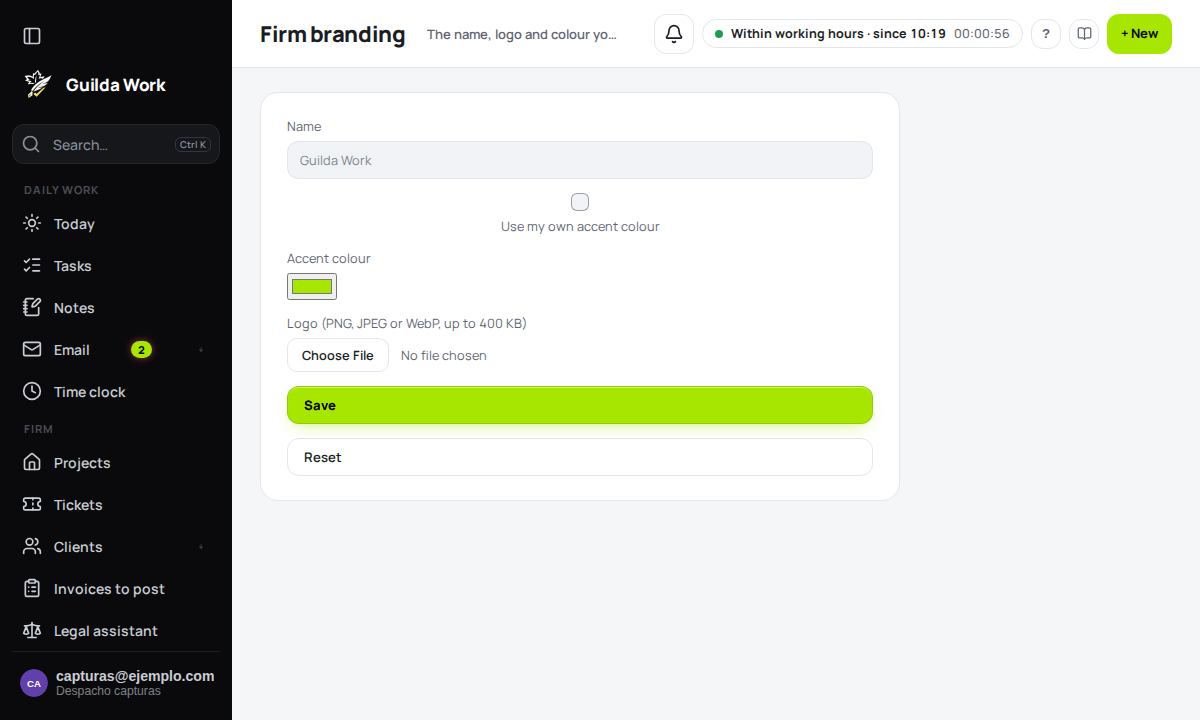
Open it from the Settings centre, on the Firm branding card.
What you can customise
- Name: up to 60 characters. If left empty, Guilda Work is used.
- Accent colour: tick Use my own accent colour and pick the colour. Guilda Work works out the text colour on buttons and links (black or white) by itself and adjusts it to read well in light and dark themes, so you do not need to check it.
- Logo: a PNG, JPEG or WebP up to 400 KB. SVG is not accepted.
Save, remove and reset
Press Save to apply the changes to the whole team. Remove the logo (shown when there is one) deletes only the logo. Reset returns name, logo and colour to Guilda Work's, after asking you to confirm.
Tips
- Use a square logo with a transparent or light background: it is reduced to 256 pixels and shown in a small circle.
- Pick a colour that goes with your logo, but do not worry about contrast: it is corrected automatically.
- If you do not see the change, reload the page: the browser keeps the style for a few minutes.
Related guides
Bulk changes: propose, confirm and undo
Change several opportunities or due dates at once, with a preview and a way back.
Sales Marketing: campaigns with consent
Client groups, block-based templates and mailings that respect consent and unsubscribes.
Documents to sign from the client file
Engagement letter, SEPA mandate, AEAT representation authorisation and consents, signed with Documenso.