 Guilda Work
Time bank
Open in Guilda WorkHow many hours you are ahead or behind your contracted hours.
Updated on
Time clock → Time bank compares what you have worked with what you were due to work according to your contracted hours. If you are above, you have hours in credit; if you fall short, in debit.
How it is calculated
balance = hours worked + adjustments − hours due
- Hours due: your contracted weekly hours (the ones you enter in My details) spread across working days, that is, Monday to Friday without holidays. Days with an approved absence are not expected (a half day counts half).
- Hours worked: the same count as the time clock's weekly summary, from your clock-in and clock-out entries.
- Adjustments: additions or subtractions of minutes made by whoever manages the time clock, always with a reason ("Offset with an afternoon off", "Overtime at closing"). You are notified when there is one.
Whole days are counted: by default from 1 January (or your start date or first clock-in, if later) until yesterday. You can pick another period with From and To. Below you see the monthly breakdown and the period's adjustments.
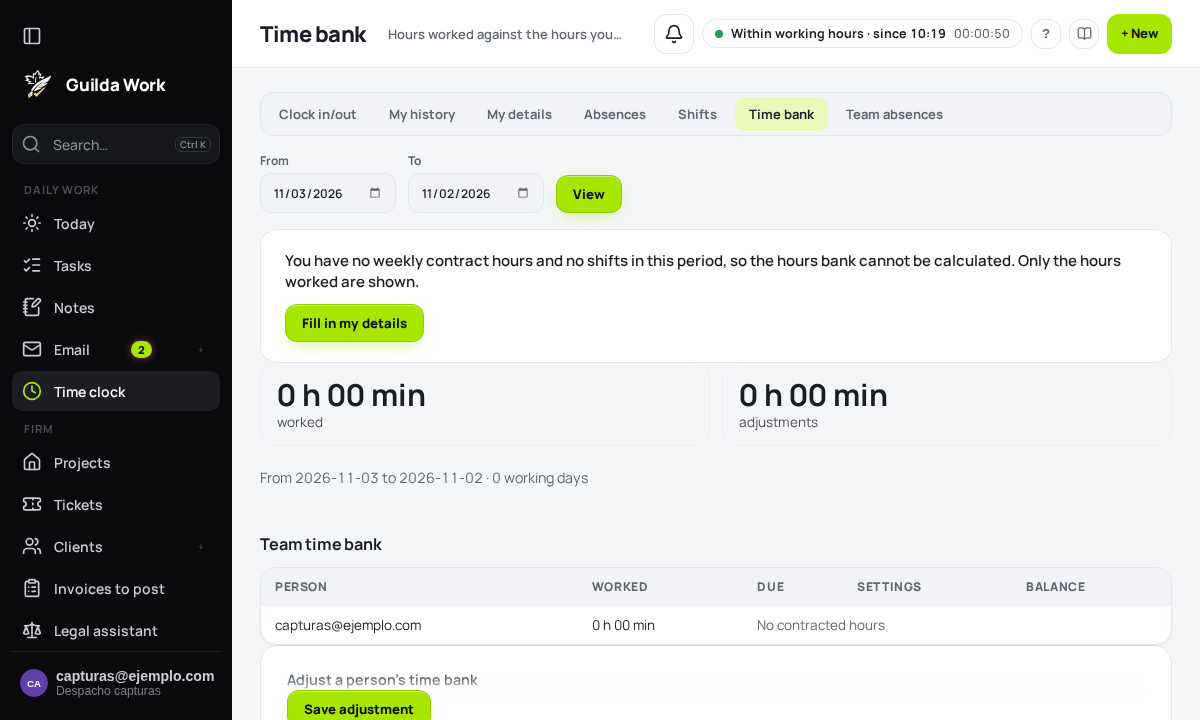
Without contracted weekly hours the bank cannot be calculated: only the hours worked are shown, with a link to My details.
If you manage the time clock
You see the team's time bank, with whoever owes the most hours at the top, and a form to adjust a person's bank: add or subtract hours, with a date and a reason.
From the assistant
The AI assistant can tell you your balance, and managers can ask it to look up someone else's or make an adjustment (with confirmation). Figures are always in hours and minutes; a "+" sign means in credit.