 Guilda Work
Fees by bands
Open in Guilda WorkRules that suggest how much to charge for filing each form.
Updated on
- Management
- Tax review
- Guilda Fiscal
Fees by bands (button in the Guilda Fiscal portfolio) suggests the fee for each filed due date according to rules the firm sets. Nothing is charged until management confirms.
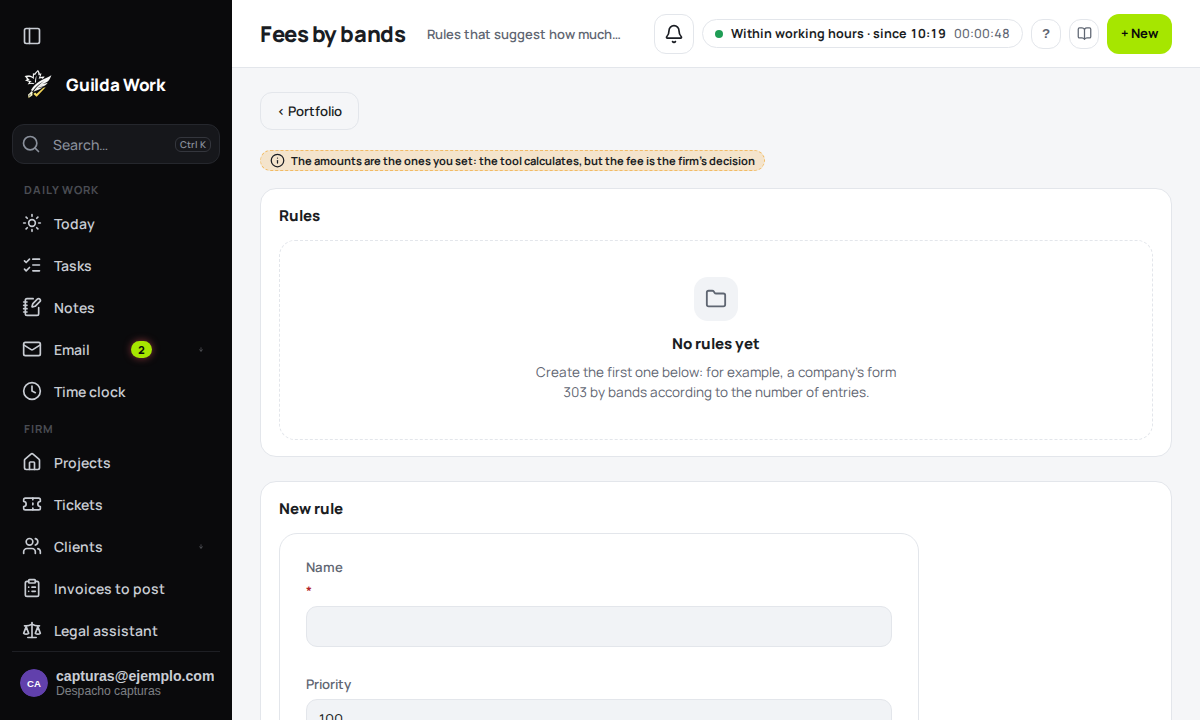
The rules
Each rule has a priority (the lowest number is checked first) and filters by form (for example 303) and by the client's legal form; empty means all. The first active rule that matches applies. Three ways to calculate:
- Fixed amount.
- Base plus amount per entry, with a minimum.
- By bands according to the number of entries in the period: "hasta 10: 60,00" and, on the last line, "resto: 45,00".
Entries are the client's non-cancelled ones within the due date's period ("2T 2026" = April to June).
Test, propose and confirm
- Test the rules calculates a case without touching anything.
- Filed without a fee lists filed due dates with their proposal. Confirm accepts it; with Other amount you set a different one and the calculation is kept.
- What is confirmed keeps the rule and the calculation as they were, even if the rule changes later. Then Mark as invoiced with the invoice number, or Cancel with a reason.
The tool does not issue the invoice: it is still created in FacturaScripts. Fees are the firm's decision.
On filing and invoicing
The due date's page shows the Suggested fee and, when you mark it as filed, the description and amount come filled in (you review them). The portfolio shows how many filed items await a fee. A confirmed fee is invoiced with Invoice in FacturaScripts: it creates the invoice with one line, requires the client's full details (tax ID, address, postcode and city) and records the invoice code. If you invoice it elsewhere, use Mark as invoiced.
Letting the client see and pay them
On the client's page, the box Show confirmed fees for each tax form in their portal and let them pay by card (off by default) makes them see, in Taxes, the confirmed or invoiced amount for each form. If the firm has card payments (Stripe) enabled, they also see Pay by card; the payment is recorded by the Stripe webhook. To request a signature, use Send for signature on the deadline: the client sees it in their portal with a button straight to the signing page.