 Guilda Work
Clients, cases, deadlines and hours
Open in Guilda WorkThe office core: people and companies, their work and their time.
Updated on
The four tabs of Clients (menu Clients) make up the office core.
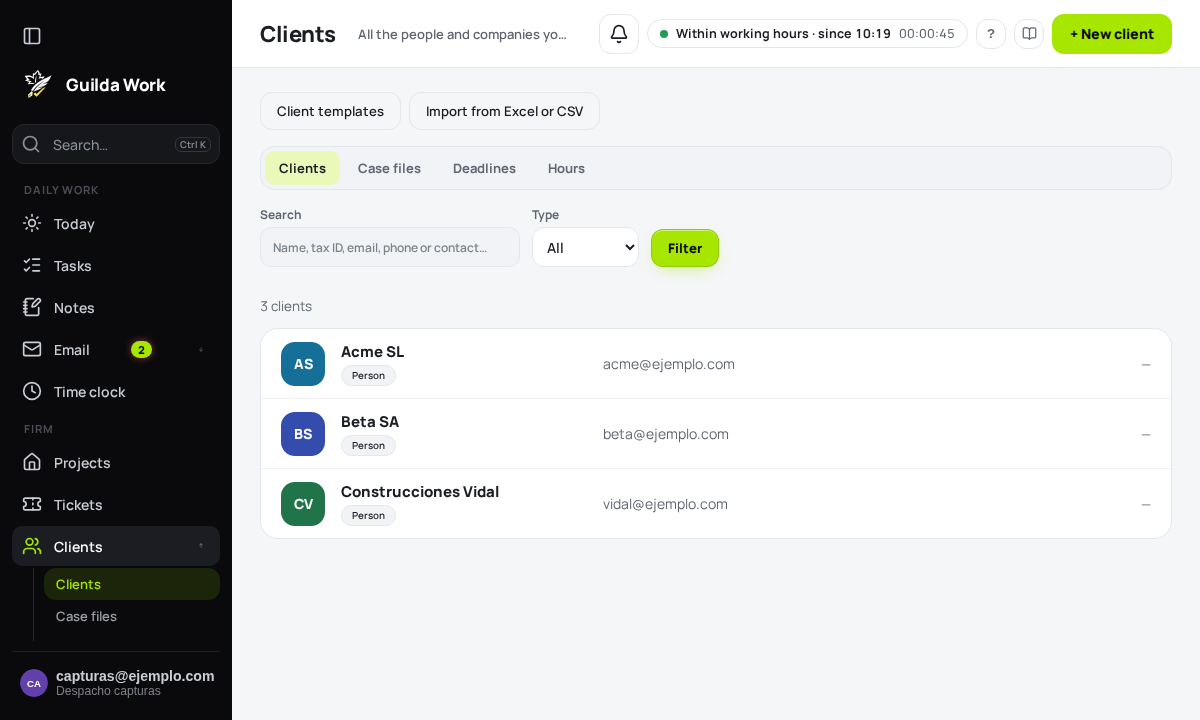
Clients
All the people and companies you work for. + New client creates one; you can also Import from Excel or CSV or use Client templates. Filter by name, tax ID, email, phone or contact, by type (person or company) and by tag.
The client page brings together Summary (details, contacts and owner), Tax, Employment, Tasks, Documents and Messages. From it you can Write to the client with the mail composer and open a New case. A client can be sent to the trash and restored.
Cases
Each client's work, with its deadlines, hours and documents. A confidential case is seen only by its owner, whoever created it and its members.
Deadlines
What is due, sorted by urgency. Working days skip weekends and holidays. It is worth checking the sample holidays against your local ones.
Hours
Record how you spend your time, by client and case, and get the timesheet to invoice.